
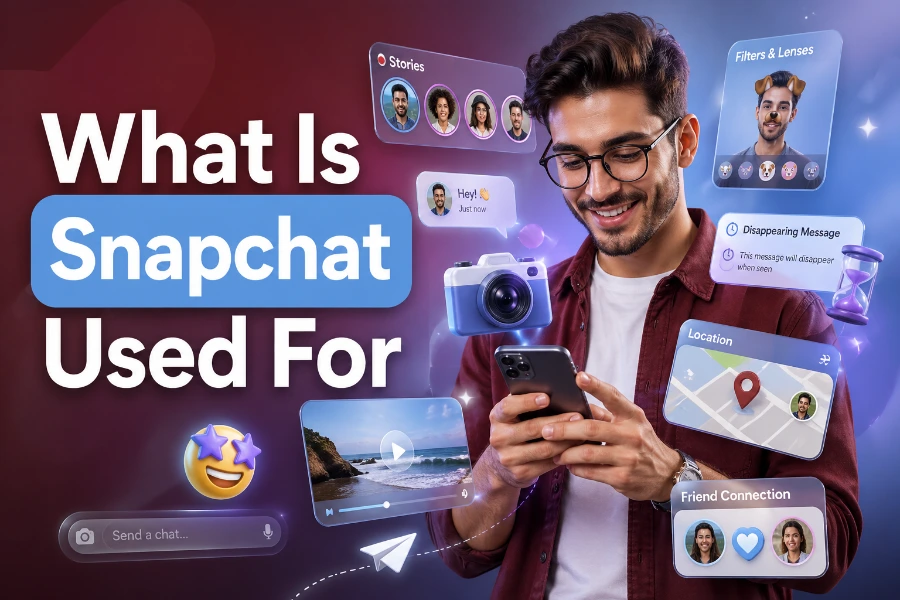
Snapchat is used for messaging, sharing photos and videos, posting Stories, saving Memories, following creators, using AR filters, and staying connected in a fast, visual way. If you have ever asked what is Snapchat used for, the simple answer is that it blends private chat, casual content sharing, entertainment, location features, and social discovery into one mobile-first app.
This guide explains how people use Snapchat today, what makes it different from other platforms, and what you should know before making it part of your daily routine.
What Snapchat Is Mainly Used For
Snapchat is mainly used for quick visual communication, especially between friends who prefer casual photos, videos, stickers, Bitmoji, and short messages over formal posts. You can send Snaps directly to one person, share them with a group, or post them to your Story so selected friends can view them for a limited time. The app feels different because it encourages real-time sharing instead of polished, permanent content.
People also use Snapchat to follow creators, watch short shows, discover trends, explore lenses, and keep memories in one place. If you want to understand public content without confusing it with private messaging, a Snapchat viewer can help you recognize how Snapchat-style viewing works outside regular chat features. That context matters because Snapchat is not only a texting app; it is also a content, camera, and social-discovery platform.
For many users in the United States, Snapchat is part camera, part messenger, and part social diary. You open the app, capture what is happening, add a caption or lens, and send it in seconds. That speed is the reason Snapchat remains popular with people who want communication to feel spontaneous instead of carefully edited.
How Snapchat Messaging Works
Snapchat messaging centers on Snaps, Chats, and group conversations. A Snap can be a photo or video, while Chat works more like regular texting with messages, stickers, voice notes, and reactions. Messages often disappear after viewing or after a set period, although users can save chats manually when both people can see that something has been saved.
The disappearing format creates a sense of privacy, but it does not make Snapchat risk-free. Someone can still screenshot, screen-record, use another device, or save content if the settings allow it. Snapchat may notify you about some screenshots, but you should still treat anything you send as something that could become permanent.
This is why Snapchat works best for light, everyday communication rather than highly sensitive information. You can use it to share jokes, plans, updates, selfies, and quick reactions, but you should avoid sending anything that would harm you if copied. The safest habit is simple: send only what you would be comfortable defending later.
Why People Use Snapchat Stories
Stories are one of Snapchat’s most recognizable features because they let you share moments for friends to view within a limited window. Instead of sending the same Snap to many people, you can post it once and let your selected audience watch it throughout the day. Stories are useful for birthdays, trips, school events, work moments, casual updates, and behind-the-scenes content.
Stories also help people communicate without starting direct conversations. You might post a coffee run, a concert clip, or a gym update, and friends can reply if they want to engage. When public-facing content matters, tools like a Snapchat post viewer relate to the idea of viewing Snapchat posts clearly, and that distinction helps readers separate Story-style updates from private chats.
For businesses and creators, Stories can build familiarity without the pressure of producing perfect videos. A restaurant can show daily specials, a stylist can share client transformations, and a local brand can show events in real time. The strongest Stories feel natural, timely, and useful instead of overly staged.
What Snapchat Memories Are Used For
Snapchat Memories let you save Snaps and Stories inside the app so you can revisit them later. This feature changed Snapchat from a purely disappearing-message app into a personal archive for photos, videos, trips, friendships, and important moments. Many users treat Memories like a second camera roll because it stores years of visual history in one place.
That storage habit became more important after Snap announced storage plans for heavy Memories users. Users with large archives may need to manage storage, download content, or choose a paid plan if their saved Memories exceed the free limit. If your visual identity matters across social apps, a Snapchat profile picture downloader is connected to the broader idea of keeping profile images accessible and organized.
The main lesson is that Memories are convenient, but you should not rely on one platform as your only backup. Download important Snaps to your phone, back up your camera roll, and keep copies of irreplaceable photos somewhere you control. Cloud features are useful, but ownership feels safer when you have your own files.
How Snapchat Uses Filters And Lenses
Filters and lenses are a major reason people open Snapchat even when they do not plan to message anyone. Filters can add location tags, colors, effects, captions, and overlays, while lenses use augmented reality to change your face, background, or surroundings. These tools make ordinary photos feel more playful and expressive.
Snapchat helped popularize AR effects that are now common across social media. You can use lenses to try funny face effects, seasonal looks, brand campaigns, games, beauty filters, and interactive experiences. For younger audiences especially, lenses make communication feel less like typing and more like performing a quick visual reaction.
The best way to use filters is to keep them fun without letting them distort your confidence. Some lenses can smooth skin, reshape features, or create unrealistic beauty standards if used constantly. Use them as creative tools, not as proof that your normal face needs fixing.
How People Use Snap Map
Snap Map lets users share locations with selected friends and view location-based activity. You can see where friends are if they choose to share, explore public Snaps from certain places, and discover events or local activity. It can be useful when meeting friends, checking whether someone arrived safely, or seeing what is happening nearby.
Privacy matters a lot with Snap Map because location data is sensitive. You can use Ghost Mode to hide your location, share only with specific friends, or turn location sharing off when you do not need it. Parents should pay close attention to these settings if teens use Snapchat.
Snap Map is helpful when used intentionally, but risky when ignored. Sharing your live or recent location with too many people can expose your routine, school, home area, or workplace. A smart user checks location settings regularly instead of assuming the default option is the safest one.
How Snapchat Is Used For Entertainment
Snapchat is also used for entertainment through Spotlight, Discover, creator Stories, publisher content, and short-form videos. Spotlight works like a feed of quick videos, while Discover includes shows, news-style content, celebrity updates, lifestyle clips, and brand content. This makes Snapchat more than a private messaging app.
Entertainment on Snapchat often feels fast and casual. You can swipe through comedy clips, sports reactions, beauty tips, celebrity moments, and local trends without committing to long videos. That quick format fits users who want something lighter than YouTube and more private than a traditional social feed.
Still, you should control how much time you spend watching endless content. Short videos can become addictive because there is always another clip waiting. Use Snapchat for entertainment, but avoid letting the app replace sleep, schoolwork, family time, or real conversations.
How Businesses Use Snapchat
Businesses use Snapchat to reach younger audiences with visual, mobile-first marketing. Brands can post Stories, run ads, create lenses, promote products, share behind-the-scenes content, and drive attention during events. Snapchat works best for brands that can communicate quickly and visually.
Local businesses can use Snapchat to show real-time updates that feel more personal than polished ads. A gym can share class energy, a boutique can show new arrivals, and a food truck can post its current location. The content does not need to look perfect, but it must feel clear, timely, and useful.
Snapchat advertising can also support awareness and conversions when campaigns are built properly. The platform offers formats such as Snap Ads, Collection Ads, Story Ads, and AR lenses. For best results, businesses should use strong visuals, short messages, clear offers, and landing pages that load fast on mobile devices.
Is Snapchat Safe To Use?
Snapchat can be safe when you understand its privacy settings and use common sense. You can control who contacts you, who views your Story, who sees your location, and whether your account appears in certain discovery areas. These settings give you more control than many users realize.
The biggest safety risks come from oversharing, accepting strangers, sending sensitive content, and assuming disappearing messages cannot be saved. You should also watch out for scams, fake accounts, impersonation, suspicious links, and pressure from people asking for private photos. If someone makes you uncomfortable, block and report the account.
Parents should talk with teens about boundaries instead of only focusing on bans. Snapchat is part of how many young people socialize, so guidance works better than panic. The healthiest approach is to discuss privacy, screenshots, location sharing, online pressure, and how to ask for help.
What Makes Snapchat Different
Snapchat is different because it opens to the camera and pushes you toward sharing what is happening now. Many social platforms start with a feed, but Snapchat starts with creation. That design makes the app feel immediate and personal.
Another difference is the balance between private communication and temporary public sharing. You can have direct chats, post Stories, save Memories, watch Spotlight, and use AR lenses without leaving the app. This mix gives Snapchat a unique place between messaging apps and entertainment platforms.
Snapchat also uses social signals differently. Features like Snapstreaks, Bitmoji, Story replies, and quick reactions encourage frequent contact. That can make friendships feel active, but it can also create pressure to keep streaks alive even when the conversation has little meaning.
Pros And Cons Of Using Snapchat
Snapchat has clear benefits for people who enjoy fast, visual communication. It helps you stay close to friends, share moments without overthinking, create fun content, and save memories from your daily life. It also gives creators and brands a way to communicate in a less formal tone.
The drawbacks are worth taking seriously. Disappearing content can create a false sense of security, Memories storage can become a concern for heavy users, and Snapstreaks may make communication feel like a chore. Location sharing, unknown contacts, and screenshot risks also need careful attention.
Here are the main points to remember:
- Snapchat is best for casual, visual communication.
- Memories should not be your only backup.
- Privacy settings need regular checks.
- Stories are useful for updates, not private details.
- Snap Map should be used with caution.
Who Should Use Snapchat?
Snapchat is useful for people who enjoy visual updates, quick chats, and casual social sharing. Teens, college students, creators, local businesses, friend groups, and families can all use it in different ways. The app works especially well when your communication style is informal and image-driven.
You may like Snapchat if you prefer photos and videos over long text posts. You can use it to coordinate plans, share funny moments, follow creators, save Memories, and stay connected with people you already know. It is less ideal if you want long discussions, professional networking, or highly searchable public content.
The key is to use Snapchat with purpose. Decide whether you want it for friends, entertainment, content creation, business, or memory storage. Once you know your reason, the app becomes easier to manage and less likely to become a time-wasting habit.
Conclusion
So, what is Snapchat used for? Snapchat is used for sending Snaps, chatting with friends, posting Stories, saving Memories, watching short videos, using AR lenses, sharing location with trusted contacts, and building casual connections online. Its biggest strength is speed, because it lets you communicate visually without turning every moment into a polished public post.
Its biggest risk is false confidence, because disappearing content, location sharing, and cloud storage still require careful decisions. If you use Snapchat wisely, it can be a fun and practical way to stay connected, document your life, and enjoy creative communication while keeping your privacy, safety, and digital memories under control.